



In previous articles, I explained how to implement ExtJS in a Symfony 2 project, focusing on the Viewport and the Proxy.
Now it’s time to see one of the advantages of this marriage: expose your Symfony translation messages to your ExtJS application.
Translation file#
First, create a translation file in the Resources/translations/ directory of your bundle.
You can use the default domain messages or specify an other domain.
In the example below, I created a file for the French:
<!-- Resources/translations/messages.fr.xliff -->
<?xml version="1.0"?>
<xliff version="1.2" xmlns="urn:oasis:names:tc:xliff:document:1.2">
    <file source-language="en" datatype="plaintext" original="file.ext">
        <body>
            <trans-unit id="1">
                <source>Close</source>
                <target>Fermer</target>
            </trans-unit>
            <trans-unit id="2">
                <source>Close this window</source>
                <target>Fermer la fenêtre</target>
            </trans-unit>
        </body>
    </file>
</xliff>
Note: Symfony provides others loaders than XLIFF, including PHP and YAML.
Translations in JS#
Now to expose your translations to the javascript, install the bundle JsTranslationBundle.
For that, add this requirement in your composer configuration file:
"require": {
    ...
    "willdurand/js-translation-bundle": "2.0.*"
    ...
},
Then, register the bundle in app/AppKernel.php:
<?php
// app/AppKernel.php
public function registerBundles()
{
    return array(
        // ...
        new Bazinga\Bundle\JsTranslationBundle\BazingaJsTranslationBundle(),
    );
}
Protip: For more configuration, see the bundle documentation: JsTranslationBundle.
To dump the translations in javascript, run this command:
app/console bazinga:js-translation:dumpIt generates the file below in js/translations:
// fr.js
(function (Translator) {
  // fr
  Translator.add("Close", "Fermer", "messages", "fr");
  Translator.add("Close this window", "Fermer la fenêtre", "messages", "fr");
})(Translator);
Then, include this file and the Translator with Assetic:
{% javascripts 'bundles/bazingajstranslation/js/translator.min.js'
'js/translations/config.js' 'js/translations/messages/*.js' ... %}
<script src="{{ asset_url }}"></script>
{% endjavascripts %}
By default, the locale is set to the value defined in the lang attribute of the html tag:
<!doctype html>
<html lang="{{ app.request.locale }}">
  ...
</html>
Now you can use the translation within ExtJS!
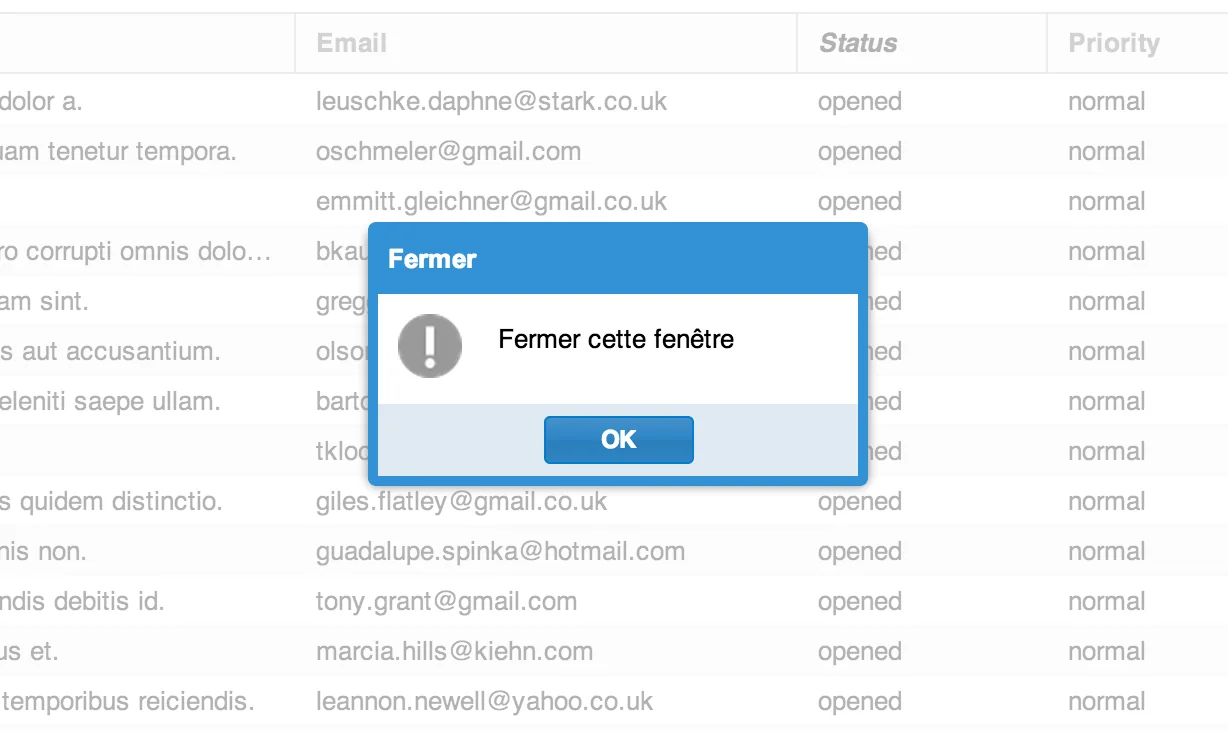
Let’s try with a simple dialog window:
Ext.Msg.show({
  closable: false,
  title: Translator.trans("Close", {}, "messages"),
  msg: Translator.trans("Close this window", {}, "messages"),
  buttons: Ext.Msg.OK,
  icon: Ext.Msg.INFO,
});
If the language of the user’s locale is French, it will display this message:
ExtJS locales#
Assetic has a great feature to produce different outputs for the same asset: variables.
Asset variables are very useful to include ExtJS language files depending on user’s locale.
In practice, specify the possible languages for the asset variable locale:
# app/config/config.yml
assetic:
  variables:
    locale: [en, fr]
Then, include the locale file with the variable instead of the lang:
{% javascripts "/bundle/acmefoo/ext/locale/ext-lang-{locale}.js" vars=["locale"] %}
<script language="javascript" type="text/javascript" src={{ asset_url }}"></script>
{% endjavascripts %}
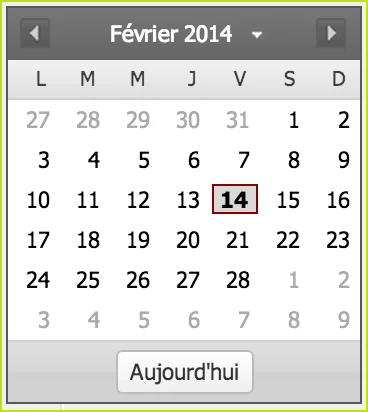
Thus, you can take advantage of standard translations for widgets, like the calendar for instance:
Happy Coding!
Explore More