


In this piece
The context#
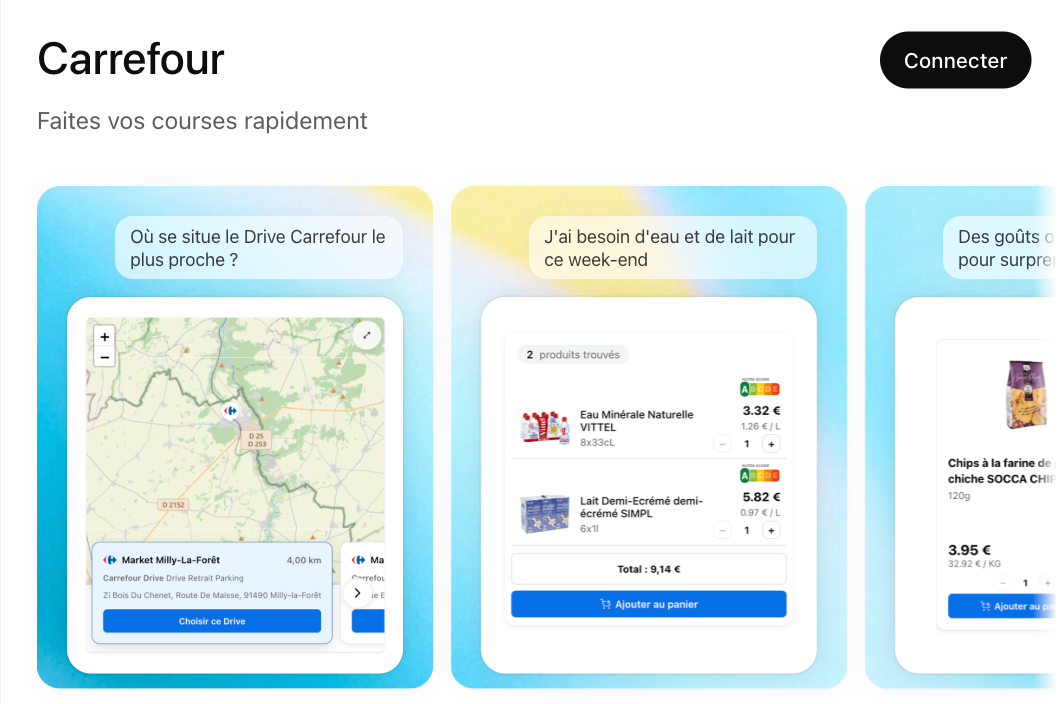
On an innovation project, you never really know what you’re building until you’ve started building it. The app I’m talking about here — “Carrefour In-App for ChatGPT” — is no exception.
The goal: expose Carrefour’s product search engine through an MCP (Model Context Protocol) server, consumable from ChatGPT and, later on, from other AI clients. All of it on top of OpenAI’s Apps SDK, a young and still-unstable spec whose contracts evolved very quickly after launch. The stakes, on the other hand, didn’t move: with this app shipped in March 2026, Carrefour became the first European retailer to let people do their grocery shopping directly inside ChatGPT.
On the team side, the setup was simple: best effort, few dedicated dev slots, iterations to be slipped between busy calendars. Every hour spent fighting your own build pipeline is an hour that doesn’t fund product exploration or quality. Hence a deliberate choice made very early: build the sandbox in parallel with the MCP server, so that the little dev time available could be spent iterating on the product, not waiting for rebuilds.
Edit, build, wait, start again#
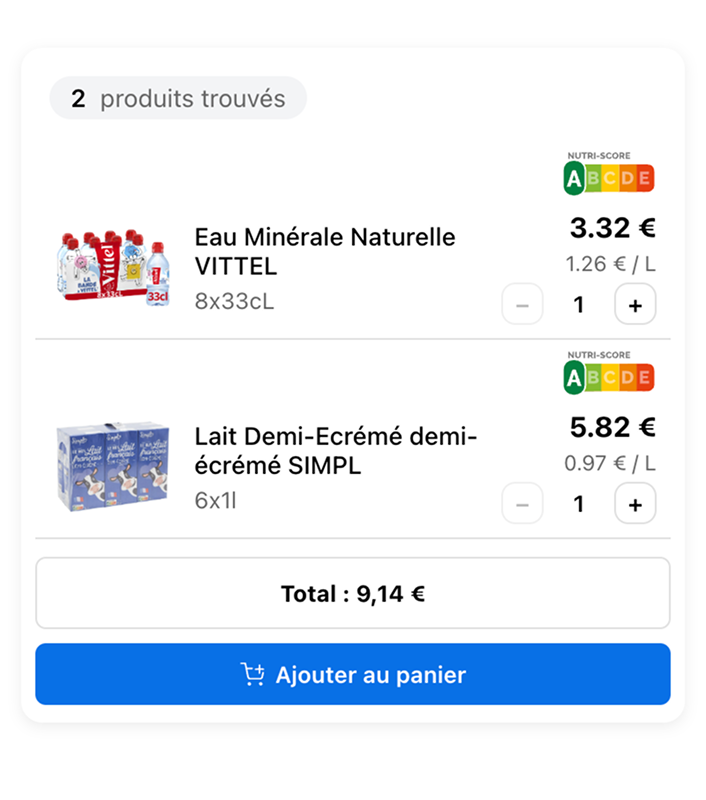
Before the sandbox was in place, developing a component like product search looked like this:
- Edit the code, kick off a build, reload the MCP server.
- Go back to ChatGPT, restart the conversation, retype the query that triggers the tool.
- Negotiate with the model so it calls the right tool (results vary), wait for the iframe to reload.
- Watch the promo badge eat into the product image, go back to step 1.
Multiply that by several dozen iterations a day, and you’re back to the golden age of the punch card.
The component was never tested in isolation. No way to bring it to life with a variety of mocks, to iterate on an error state or an empty case, to let a designer or a PO play with it without routing through ChatGPT.
The real bottleneck wasn’t the tech, the protocol, or the design. It was the slowness of the loop.
And that was only the visible part. What we hadn’t seen coming is that OpenAI’s Apps SDK was going to keep its own series of surprises in store. Not just one, but a sequence: behavioral gaps between the enterprise version and the consumer one, entire chunks of the contract shifting between two releases. The kind of stuff you only discover when it’s time to publish the app.
The first wall came early. We had started with an MCP server in Spring AI — a rational choice on Carrefour’s side, a stack we knew, a natural integration with the existing setup. Except that when it came time to ship the UI through, we realized Spring AI didn’t yet support the _meta field of MCP responses, the very same field we were repurposing to embed pieces of interface. With little visibility on a possible fix.
We had to rewrite everything on a Node base. Spring AI support landed elsewhere a few weeks later. We didn’t have time to wait, we had to ship something.
That experience colored the decisions that followed. When the time came to pick the UI framework, the reflex was defensive: stick to OpenAI’s official examples, which were in React. Not because React was the only good choice — others would have worked just as well — but because we’d just taken a hit from drifting away from the reference stack, and we weren’t keen on doing it again. So fullstack TypeScript in a monorepo it would be (I checked my preference for Vue at the door).
It’s in this context that the sandbox really took on its full meaning: no longer just as a tool to go faster, but as insurance against the next pivot.
A Vite playground with HMR at the heart of the monorepo#
So I introduced a playground, a Vite + React app that serves as a shared sandbox for all UI components in the monorepo.
The principle: components are developed in the playground with Hot Module Replacement and mocked data, with no dependency on the MCP server or ChatGPT. Once stabilized, they’re bundled as standalone artifacts, completely independent from the MCP server, which simply references them.
Instant HMR across the whole chain#
HMR on its own is hardly a revolution — it’s the default behavior of any Vite project. What’s more notable is making it hold up at the scale of the monorepo. Each UI component lives in its own package, produces its own bundle, and refreshes in the playground autonomously — micro-frontends style, without the Federation layer on top. Shared packages (design tokens, i18n, icons) are consumed by all of them. Vite watches the entire workspace and propagates changes transitively: touching a token in the shared package updates every component open in the browser within a few dozen milliseconds, with no full reload and no rebuild of the consuming packages. The “I edit, I see” loop crosses package boundaries as if it were a single project.
A faithful simulation of the window.openai bridge#
The playground injects a shim of the ChatGPT runtime — a thin layer of code that mimics an external API by replacing its functions with local equivalents. A fake window.openai exposes the same methods as the real host, but redirects them to local handlers observable in the console.
// playground/src/shim/window-openai.ts (simplified)
window.openai = {
  toolInput: mocks.search.query,
  toolOutput: mocks.search.response,
  displayMode: "inline",
  theme: "light",
  locale: "fr-FR",

  callTool: async (name, args) => {
    console.debug("[shim] callTool", name, args);
    return mocks[name]?.response ?? { error: "no mock" };
  },

  sendFollowUpMessage: async (text) => {
    console.debug("[shim] sendFollowUpMessage", text);
  },
};
A component can be developed as if it were running inside ChatGPT, without ever opening ChatGPT. You inspect the events being emitted, you simulate async responses, errors or timeouts by editing a single config file.
Versioned, shared mocks#
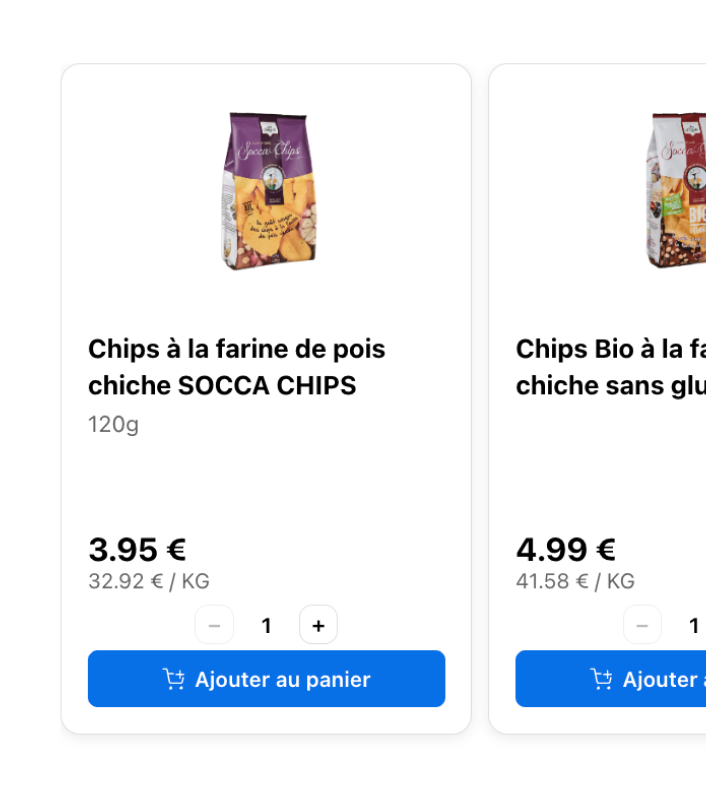
A script copies a single set of mocks to the public directories of the playground and of every app that needs them. One reference dataset, several consumption environments. Adding an edge case — empty aisle, promotional price, out of stock — is one line of JSON and becomes immediately available everywhere.
A state matrix you can browse in one click#
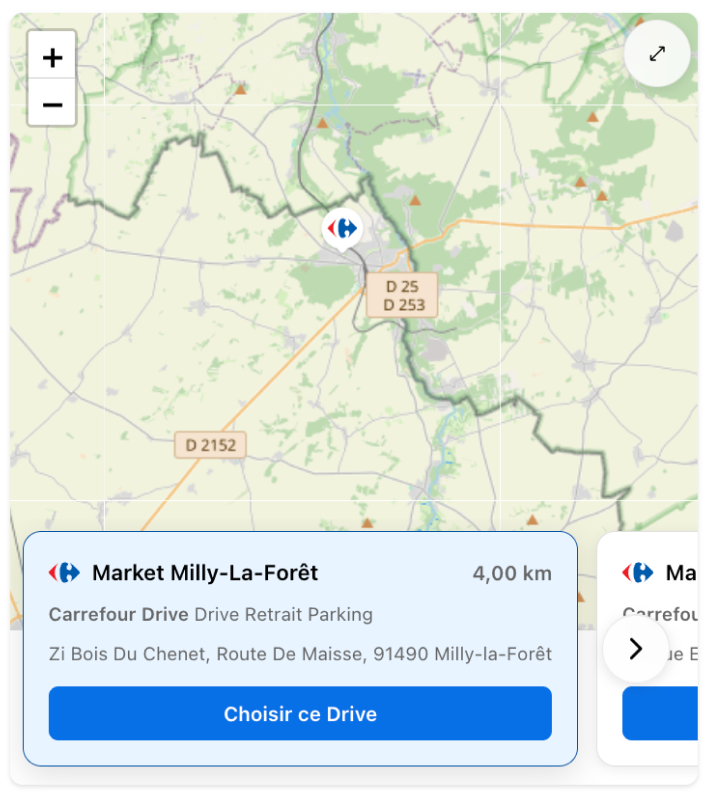
A widget meant for ChatGPT has to live under very variable conditions: mobile, tablet, desktop, fullscreen or inline mode, light or dark theme, different locales, etc. Testing all of that in the real host isn’t an option when deadlines are tight.
For each component, the playground exposes the controls that matter: a viewport selector calibrated on the ChatGPT iframe breakpoints, a fullscreen toggle, a dark mode toggle wired to the same design tokens shipped in the final bundle. Next to that, a props panel editable on the fly to throw any dataset at the component. In a few clicks, you cover the bulk of the combinations, you spot the cases that break, and you adjust before even reloading ChatGPT.
A continuously deployed showcase#
The playground also serves as a showcase for designers, POs, and teams further from the tech. Every push to the main branch triggers a static deployment to GitLab Pages: a stable URL, always up to date, accessible from any browser without installing anything.
The UI/UX feedback that used to come in as commented screenshots on a channel now comes in as “right there, the margin is too small on my phone,” with a direct link to the right version. Everyone sees the same thing at the same time, and crucially upstream — which avoids back-and-forth testing once the code is deployed.
What the sandbox changed#
The sandbox had two effects I hadn’t anticipated.
It made specifications negotiable. Since experimenting no longer costs anything, you test variants instead of debating them. “What if we put the filters (aisle, brand, price) on top instead of on the left?” — a few minutes instead of a few days.
On this project, the design mockups actually arrived after the fact, leaning on the first iterations of the playground rather than preceding them. It’s one of the paradoxes of AI-accelerated frontend development: code becomes so quick to produce that it can now precede the mockup and serve as material for design thinking. Provided you can immediately see what the code produces — which is exactly what the playground brings.
It absorbed the instability of the Apps SDK. And that effect, we measured very concretely. Remember the first wall: the Spring AI → Node pivot, forced by the lack of _meta support. At the time, repurposing that field to ship UI through it was a hack — a necessary hack, but a hack nonetheless.
A few months later, @modelcontextprotocol/ext-apps came out — one of the rare specs to have emerged cleanly from this still-rough ecosystem. A switch that, on a classic project, would have meant “let’s pull out the maps, walk the codebase again, lose a sprint.” A full sprint is the kind of luxury you reserve for projects that have sprints.
On this project, the operation happened in a single point: the shim. The components only know the interface, not the implementation — they didn’t see a thing. What could have been a structural overhaul stayed a local exercise.
What I take away#
When you’re building on top of a changing spec, the temptation is to reinforce the process. In practice, that’s rarely what unlocks the situation — a well-designed sandbox turns every spec change into an occasion to iterate rather than a cost.
For Carrefour In-App for ChatGPT, the playground isn’t an accessory dev tool: it’s the primary environment where the components actually live. The MCP server merely points at the bundles once they’re produced. That separation is probably the architectural decision that paid off best on this project.
Next on the bench: qualifying what is no longer reproducible#
The sandbox solved the feedback loop on the development side. One open question remains: how do you guarantee the quality of an end-to-end journey whose output is, by construction, not deterministic? The journey starts with a natural-language intent, passes through the model’s decision to call our tool or not, and ends with a rendering that depends on context. None of these steps are reproducible.
What we’ll likely need to build looks more like continuous evaluation than testing: a metric tracked over time, with alert thresholds on drift. The same change of nature that HMR brought to development, but applied to QA.
For the other innovation projects in flight on the AI side, mum’s the word. We’re keeping a few cards up our sleeve.
👉 Try the Carrefour app inside ChatGPT
When you're building on top of a moving spec, a well-designed sandbox turns every pivot into an occasion to iterate rather than a cost. The playground isn't a side tool: it's the primary environment where the components actually live.
Explore More